The teaching toolkit that travels with you
Sign logbooks, issue endorsements, run structured courses with your students, and manage one calendar across every club you teach at. Free, because Wingtrex charges organizations, not instructors.
Sound familiar?
You teach flying. The admin shouldn't fly you.
Signing logbooks across three apps and a pen
One student logs on paper, another in ForeFlight, a third in something you've never heard of. Every dual entry means chasing a different workflow.
Teaching at two clubs, living in two calendars
The Tuesday student at one school has no idea you're booked Saturday at the other. Double-bookings are on you to catch.
Your students' progress lives in your head
Notes in a spiral notebook, syllabus progress from memory. When a student takes two months off, you rebuild the picture from scratch.
Finding students is word of mouth or nothing
You're a great instructor with open weekends, and the pilots five miles away searching for a CFI have no way to find you.
The toolkit
Everything between you and your students
A teaching dashboard, not another logbook
Your signing queue, endorsement requests, instruction requests, and student roster in one place. Turn on your CFI profile and it unlocks; delete it anytime and everything you signed stays valid.
Sign dual entries that hold up
Signatures follow FAA AC 120-78B: drawn signature, certificate number and expiration, certification text, and a tamper-evident record that voids itself if the entry is edited. Sign from your queue with one tap.
Sign in person, no account required
Student on Wingtrex but you aren't, or vice versa? Hand over a device and sign full-screen. When you join later, in-person signatures matching your certificate number are offered for you to claim.
Endorsements with the right words
Issue or fulfill endorsement requests using canonical FAR wording, in app, in person, or recorded from paper. Flight review and aircraft endorsements update your student's credentials automatically.
Structured courses with your students, free
Build a syllabus or start from Private Pilot, Instrument, or Tailwheel templates. Invite students, grade sessions against lessons, track pace toward their target date, and keep feedback private between you two.
One calendar across every club
Publish your weekly availability once. In-hours bookings confirm instantly, out-of-hours bookings come to you as requests, and Wingtrex blocks double-bookings across every organization you teach at.
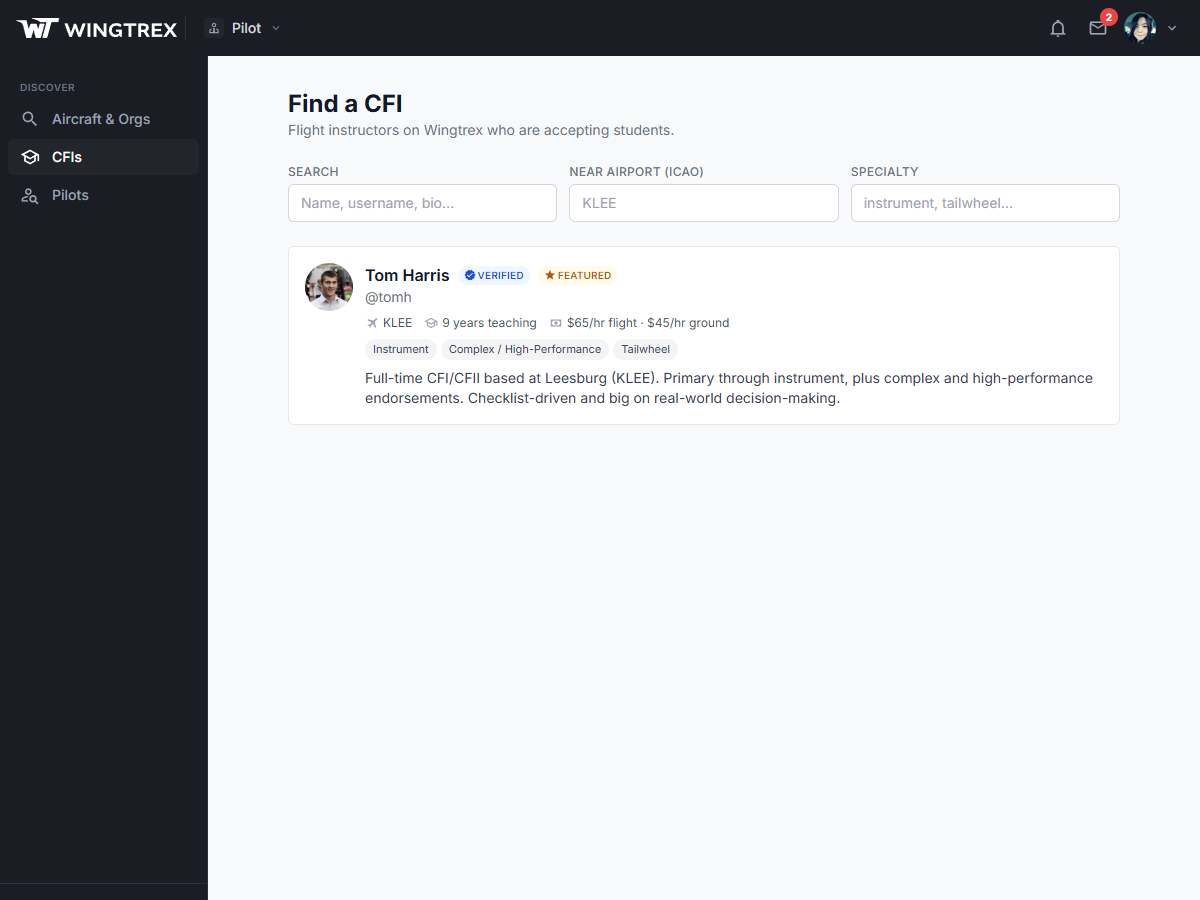
Find a CFI directory
Let students come to you
Opt in to the public directory and pilots searching their airport see your rates, specialties, and availability. They send an instruction request; you accept or decline from your dashboard.
- Listed by airport with your rates and specialties
- Take requests for instruction in the student's own aircraft, no club needed
- Payment stays between you and your student; Wingtrex takes no cut
- Listing is opt-in and off by default; your profile stays private until you say otherwise
Run a school, not just students?
Wingtrex Training brings this same engine to organizations: school-owned syllabi, stage checks with independent grading, and records that survive instructor turnover.
FAQ
Frequently asked questions
How much does Wingtrex cost for CFIs?
Nothing. The CFI profile, signing, endorsements, personal training courses, availability calendar, and directory listing are all free. Wingtrex makes its money from organizations that subscribe to Wingtrex Manage, not from instructors or pilots.
Do I need to work for a flight school to use it?
No. Independent CFIs get the full toolkit: run your own courses, sign logbooks, issue endorsements, list yourself in the Find a CFI directory, and take instruction requests, including instruction in the student's own aircraft. No club or school required.
How do students find and pay me?
Opt in to the public Find a CFI directory with your rates and specialties, and pilots searching by airport can send you instruction requests to accept or decline. Payment stays between you and your student, off the platform, and Wingtrex takes no cut.
What happens when I teach at a school that uses Wingtrex?
Your availability, signing tools, and calendar come with you. If the school uses the Wingtrex Training add-on, you teach and grade against the school's syllabi, every session is attributed to you, and stage checks enforce independent grading. Your personal courses with your own students stay yours.
What if my student edits an entry I signed?
The signature voids automatically and you are both notified. Signatures are tamper-evident by design, so a signed entry means exactly what it says.
Your next student is already searching
Create your free account, turn on your CFI profile, and start signing, teaching, and getting found today.